Research-led UX / AI product synthesis
Campus Access Companion
One spatial service for finding essential campus facilities, following understandable routes, and reaching human help when a map is not enough.
AI-assisted Product Vision
Built from IDEA9106 wayfinding research and IDEA9105 interaction evidence.
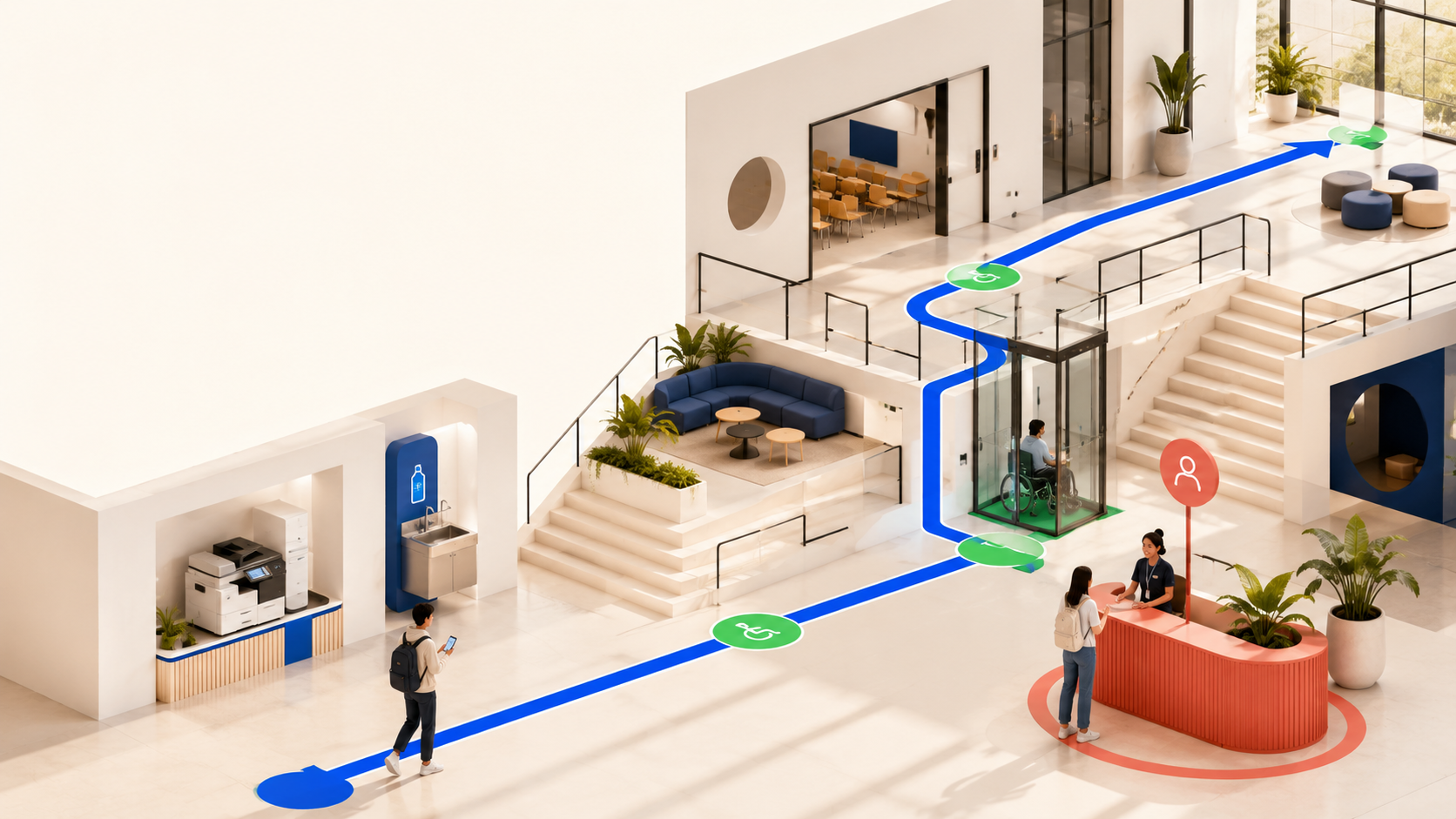
Start point / unfamiliar space
The problem begins before a user knows what to search for.
A new student arrives without a usable mental model of the building.
Room numbers, floors, signs, and facility names compete for attention.
When directions fail, the user must backtrack or find a person to ask.
Success depends on recognizing the destination, not only following a line.
Two evidence streams
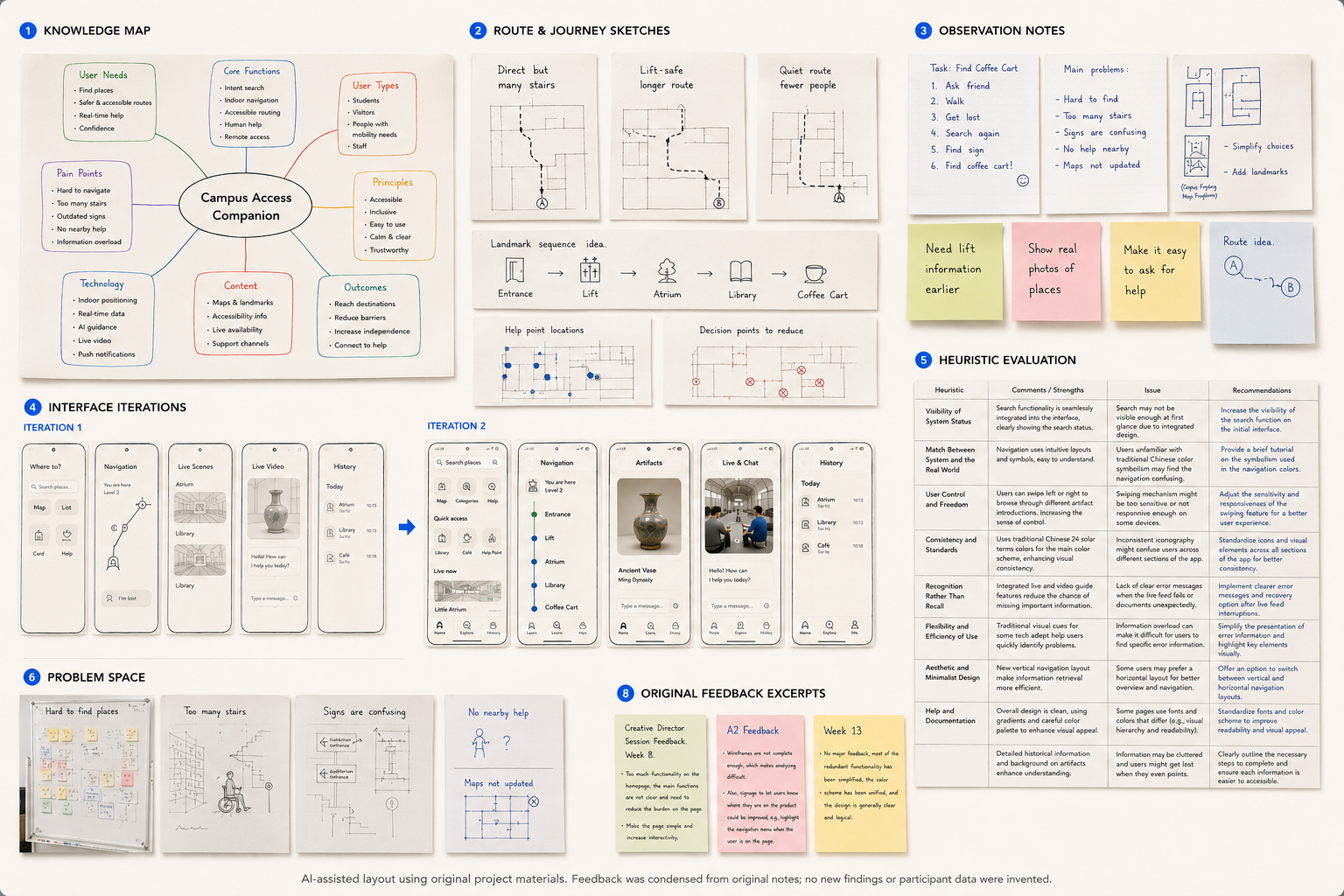
Original research stays visible. The product synthesis stays honest.
Two separately completed projects are combined only after distinguishing primary research from later interaction evidence.
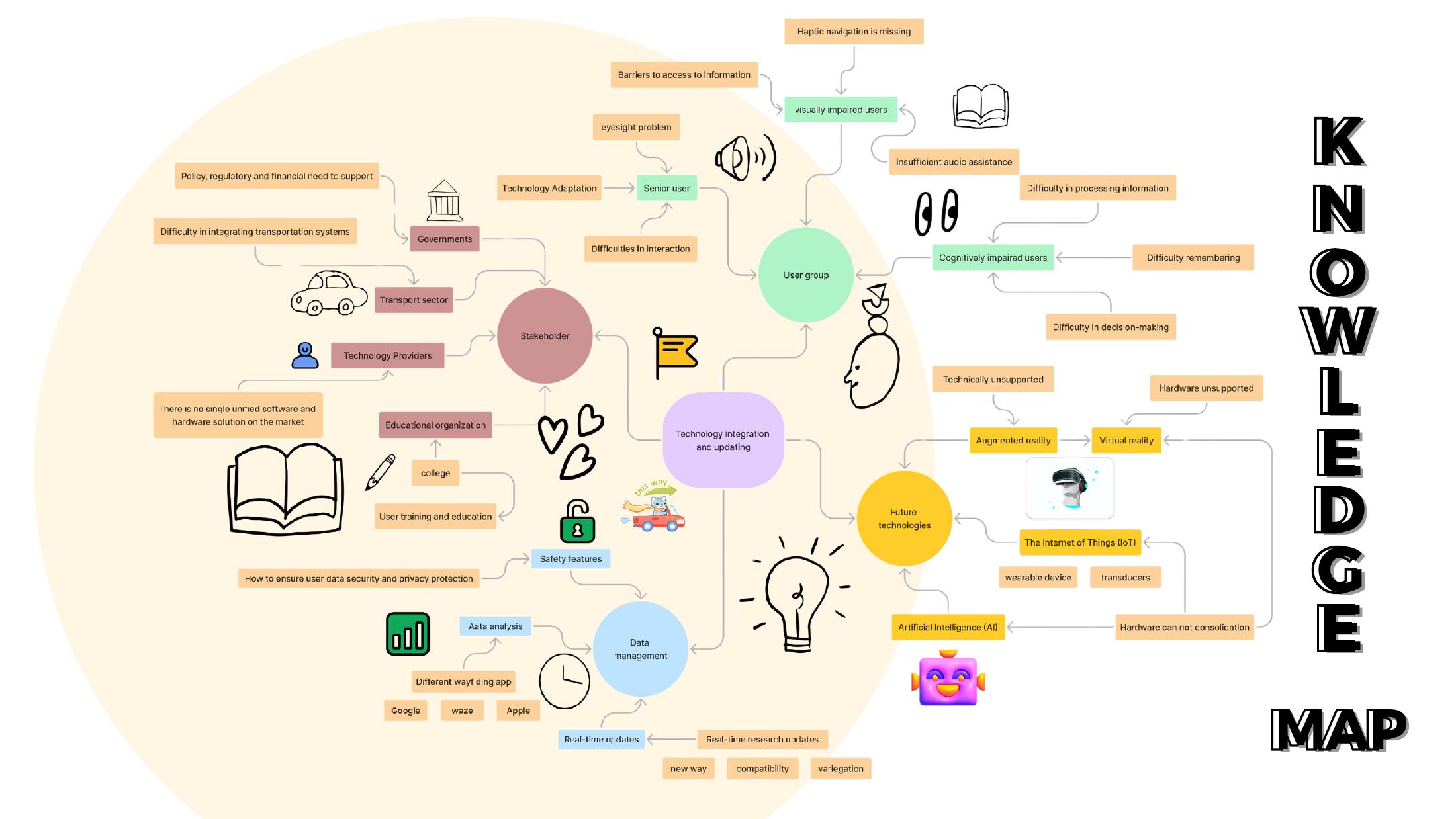
Primary / IDEA9106
Indoor wayfinding and access needs
The original brief focused on helping new students locate classrooms, printers, and water facilities inside unfamiliar campus buildings. Observation, interviews, prototyping, and think-aloud testing framed the service problem.
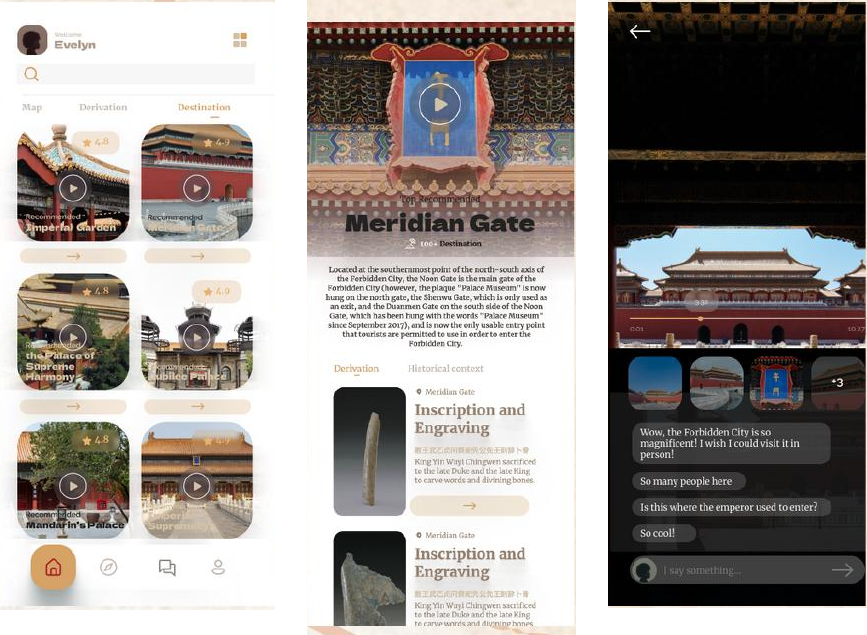
Supporting / IDEA9105
Remote access and interface iteration
A separate telepresence and cultural-access project explored search visibility, video, chat, and information density. It informs the remote-access mode without being presented as original campus research.
Insight junction
Five needs define the product boundary.
Explain where the user is before asking them to choose a route.
Make lift-safe and lower-effort paths visible before navigation begins.
Reveal one decision at a time and confirm recognizable landmarks.
Search by user intent such as printing, drinking water, or support.
Escalate gracefully when location data or AI confidence is insufficient.
Dual-mode service blueprint
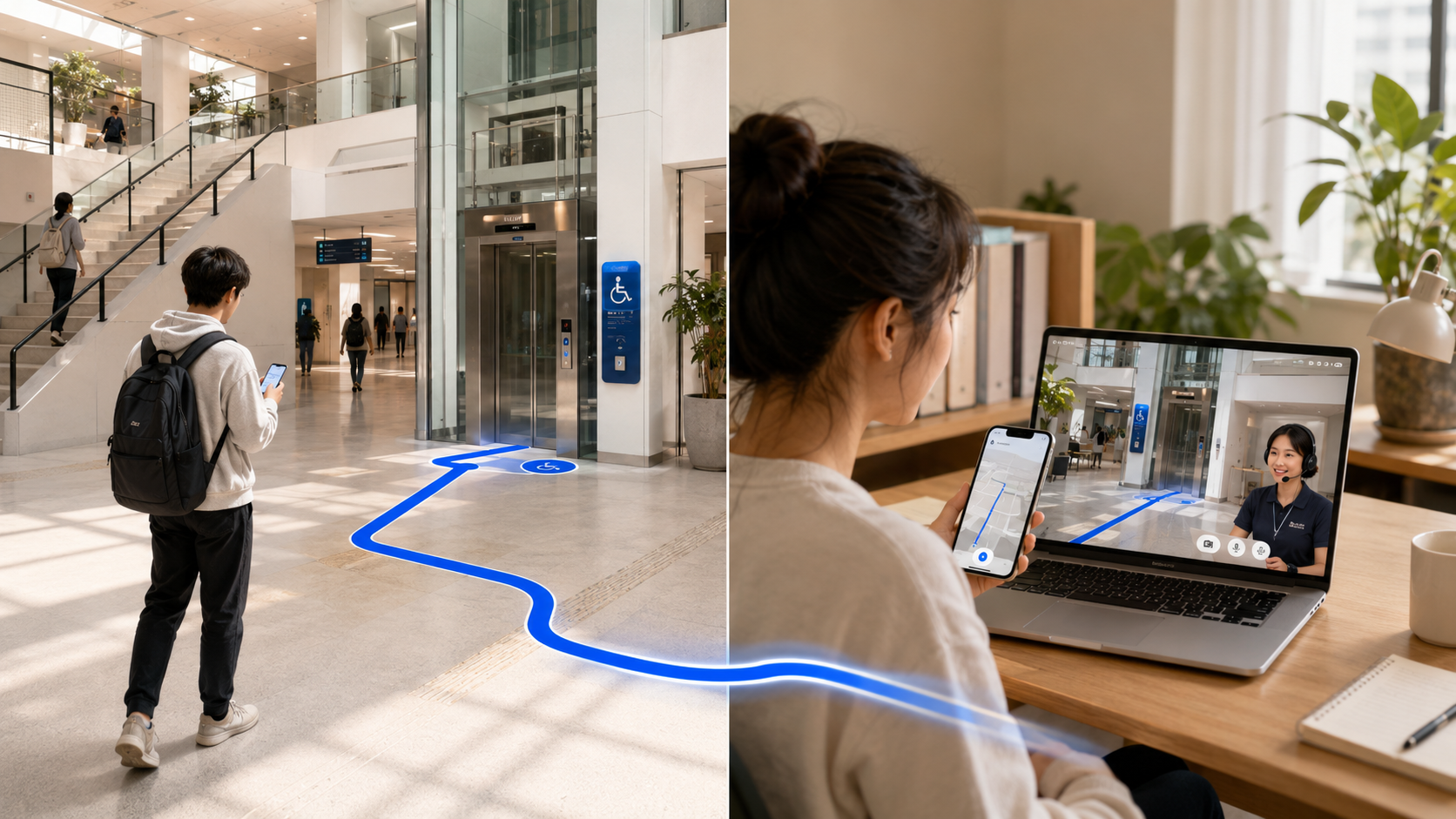
Access can begin inside the building or from somewhere else.
On-campus journey
Intent to arrival, with human help inside the loop.
- 01Ask
Describe a facility or task in natural language.
- 02Choose
Compare fastest, lift-safe, and lower-cognitive-load routes.
- 03Navigate
Follow short instructions supported by landmarks and voice guidance.
- 04Escalate
Request a staffed help point when confidence or data quality drops.
Remote-access journey
See the place, ask questions, and decide whether an in-person visit is possible.
- 01Select
Choose a building, facility, or live support session.
- 02Connect
Enter a remote scene with video, location context, and chat.
- 03Explore
Move between relevant viewpoints without interface overload.
- 04Continue
Save access notes or prepare an on-campus route for a later visit.
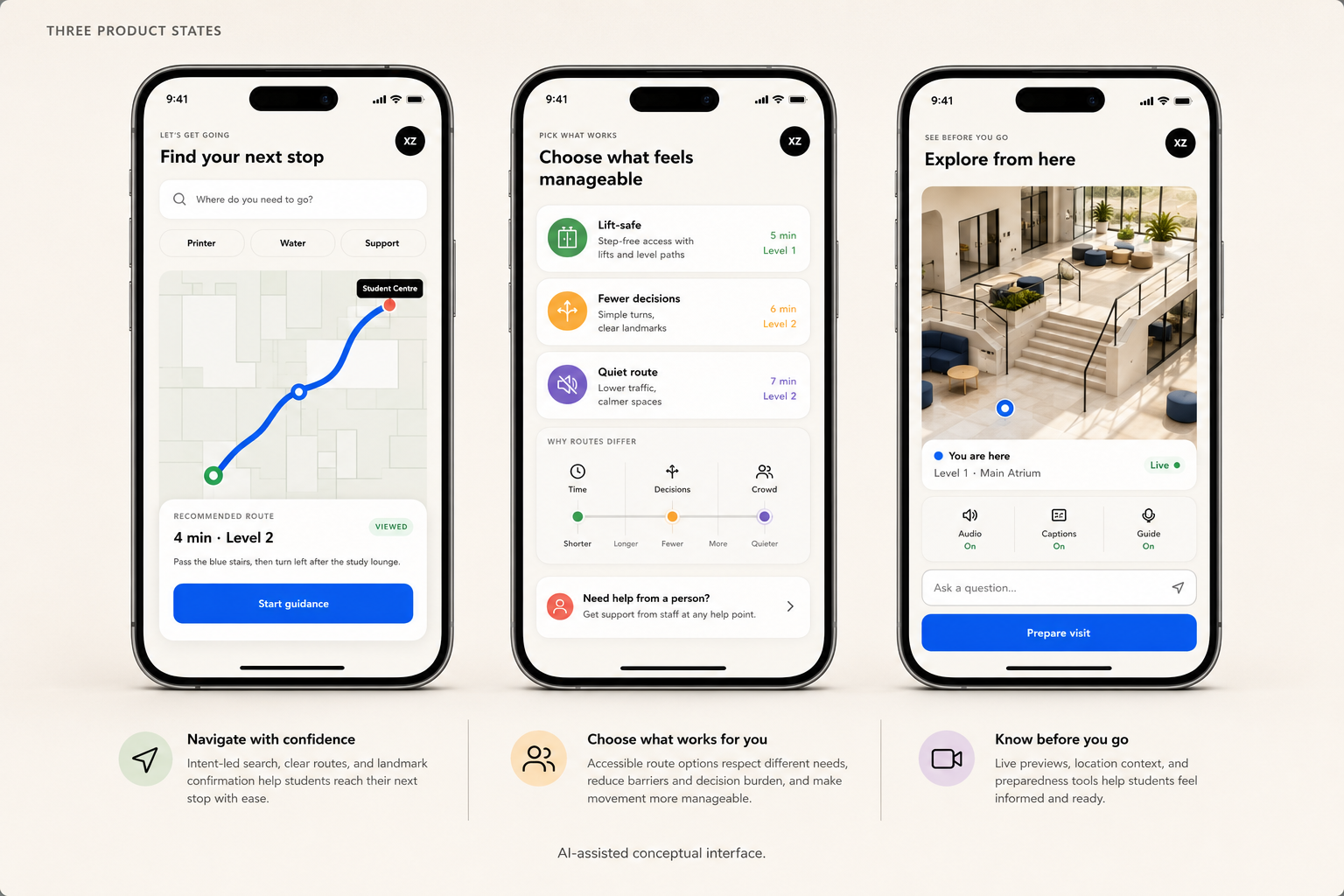
Product vision / three states
One service, three moments of access.
The conceptual interface connects route planning, accessible guidance, and remote support without pretending that automation can replace campus staff or verified building data.
Optional interactive layer Explore the live concept prototype Open demo ↘
Choose a product state
All text, controls, and states remain selectable and accessible.
The prototype demonstrates product logic, not a deployed campus system.
Low-confidence guidance always reveals a staffed alternative.
ABS BuildingFind your next stop
You
Student Centre
Recommended route4 min · Level 2
Verified
Pass the blue stairs, then turn left after the study lounge.
Route preferencesChoose what feels manageable
Lift 2 connects you to Level 3 without stairs.
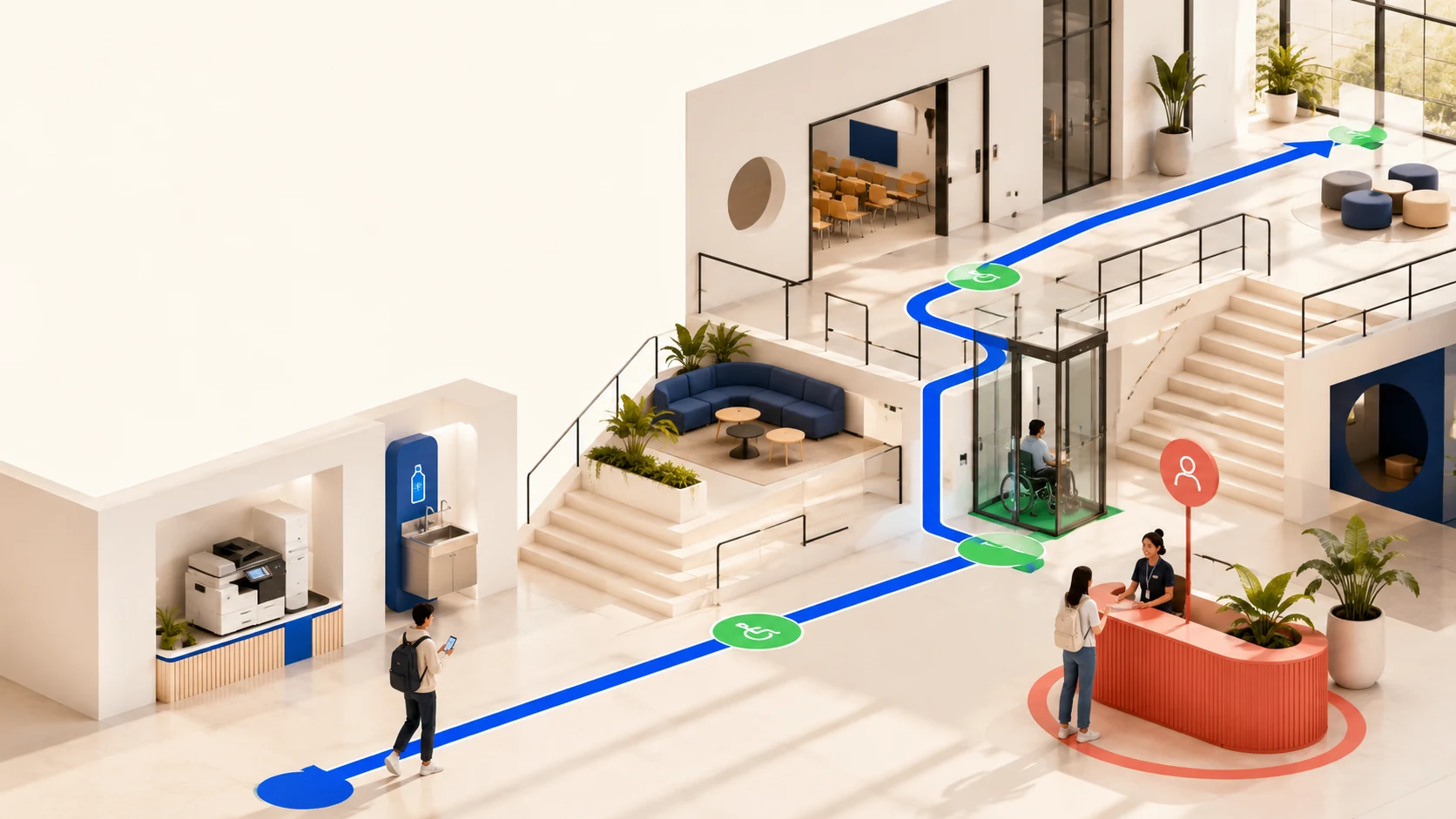
Location context
The entrance is step-free. The nearest accessible bathroom is beside the eastern lift.
Testing / evidence to decisions
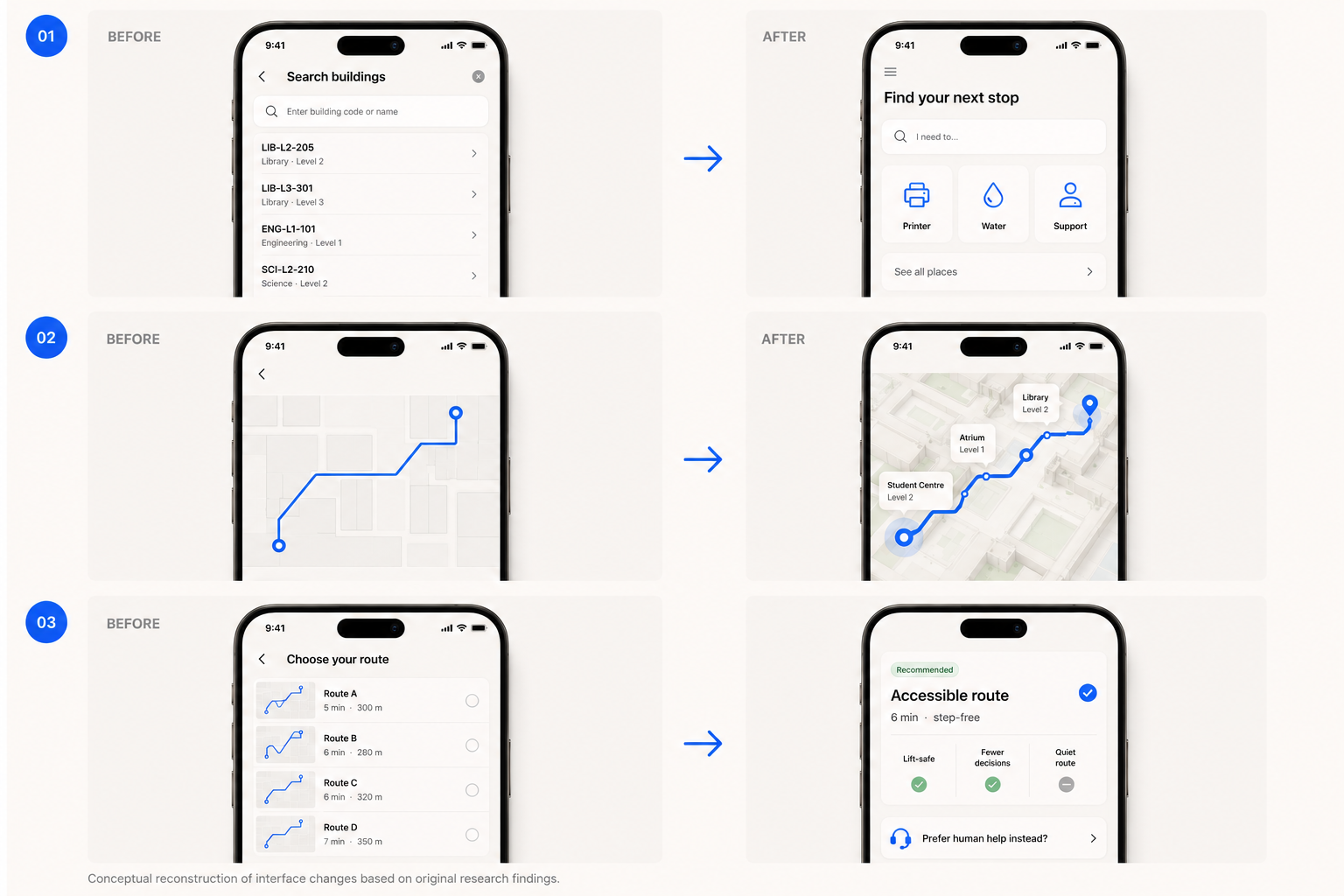
Testing changed the information order, not just the interface polish.
Original research revealed where users lost orientation. The reconstruction below turns that friction into three explicit product responses.
Next validation round
What still needs to be tested before implementation.
- 01Route comprehension
Can a new student explain the next action after a five-second glance?
- 02Accessible preference clarity
Do users understand time, effort, and confidence trade-offs before committing?
- 03Recovery behaviour
Can a user reach human support without feeling that the automated route has failed them?
- 04Remote-to-physical continuity
Does saved context reduce uncertainty when the user later arrives on campus?
Decision intelligence / responsible AI
AI interprets intent and uncertainty. Verified systems still decide the route.
This product decision layer translates natural-language needs, explains route trade-offs, and exposes uncertainty. Verified building data, accessibility status, and staff authority remain in control.
“I need somewhere quiet to print.”
Convert intent into facility, environment, and accessibility constraints.
Fastest is not always most usable.
Explain time, lifts, stairs, traffic, and number of decisions in plain language.
Uncertainty becomes visible.
When live data is stale or confidence is low, stop directing and connect a human.
Decision policy
Confidence changes the interface.
The system should never present an uncertain accessibility route with the visual authority of a verified one.
Verified map and current access status. Show route and source.
Offer a route, flag assumptions, and ask the user to confirm.
Withhold turn-by-turn guidance and reveal staffed support.
Store route preferences only when they improve continuity and the user opts in.
Separate verified campus data, live reports, and model inference.
Never make accessibility support dependent on disclosing a diagnosis.
Staff can correct route data and override automated recommendations.
Product reflection
A useful map knows when to hand over.
- Product decisions came from evidence, not interface aesthetics.
- Accessibility changes the route before navigation begins.
- AI should expose uncertainty instead of hiding it.
- Human support remains part of the service, not an exception.